Monday, 06:30. Your week is already sorted.
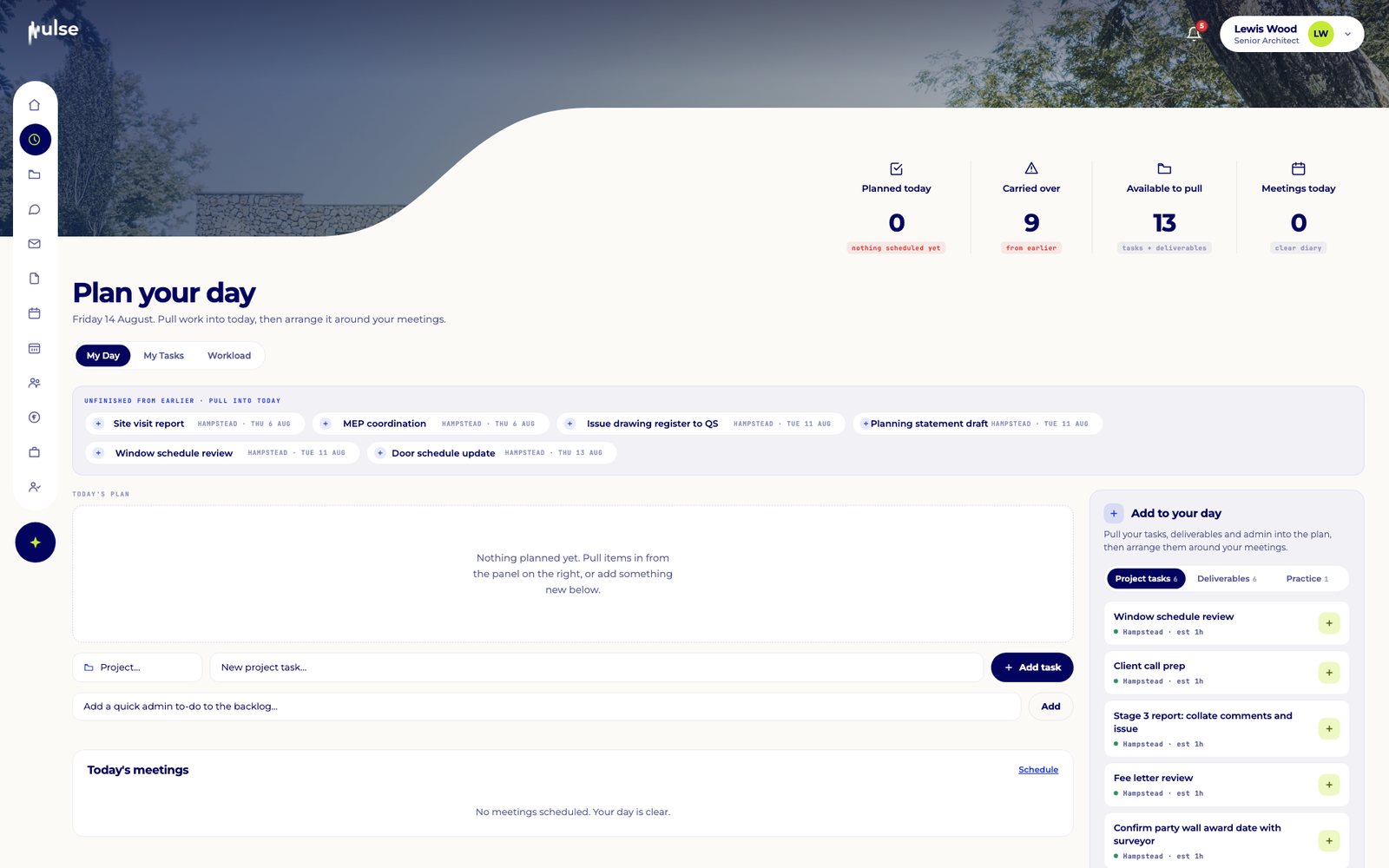
Before you open your inbox, Pulse has pulled the week together: what carried over, what is due, and the work it has already drafted for you to review.

Follow Hampstead Extension from a client's email to the director's dashboard. Click the glowing points to explore each screen.
Sample project and data for demonstration only.
Before you open your inbox, Pulse has pulled the week together: what carried over, what is due, and the work it has already drafted for you to review.
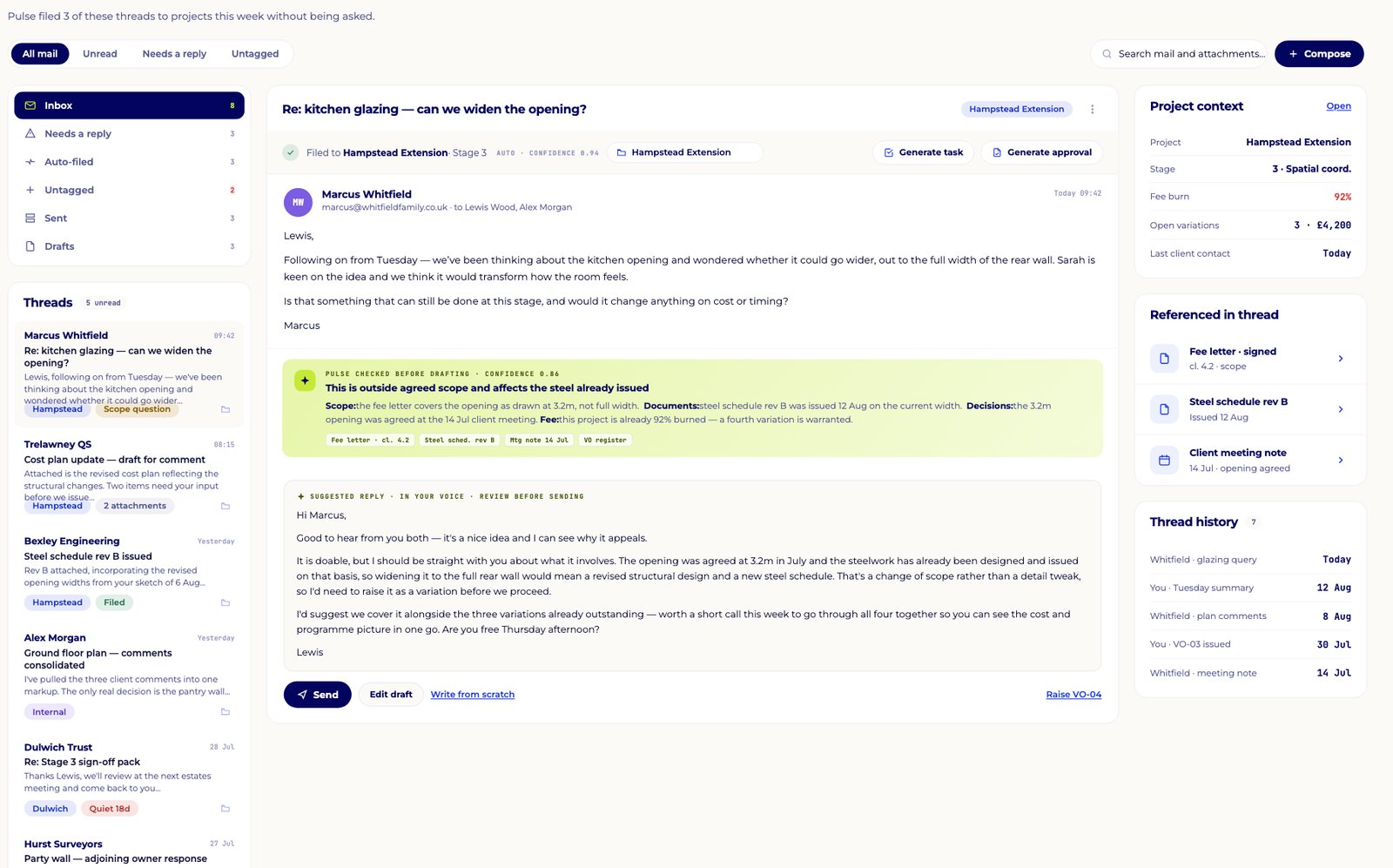
Marcus Whitfield wants to widen the kitchen opening. Before you have even opened it, Pulse has filed it to the right project and checked it against the fee letter, the drawings and past decisions.
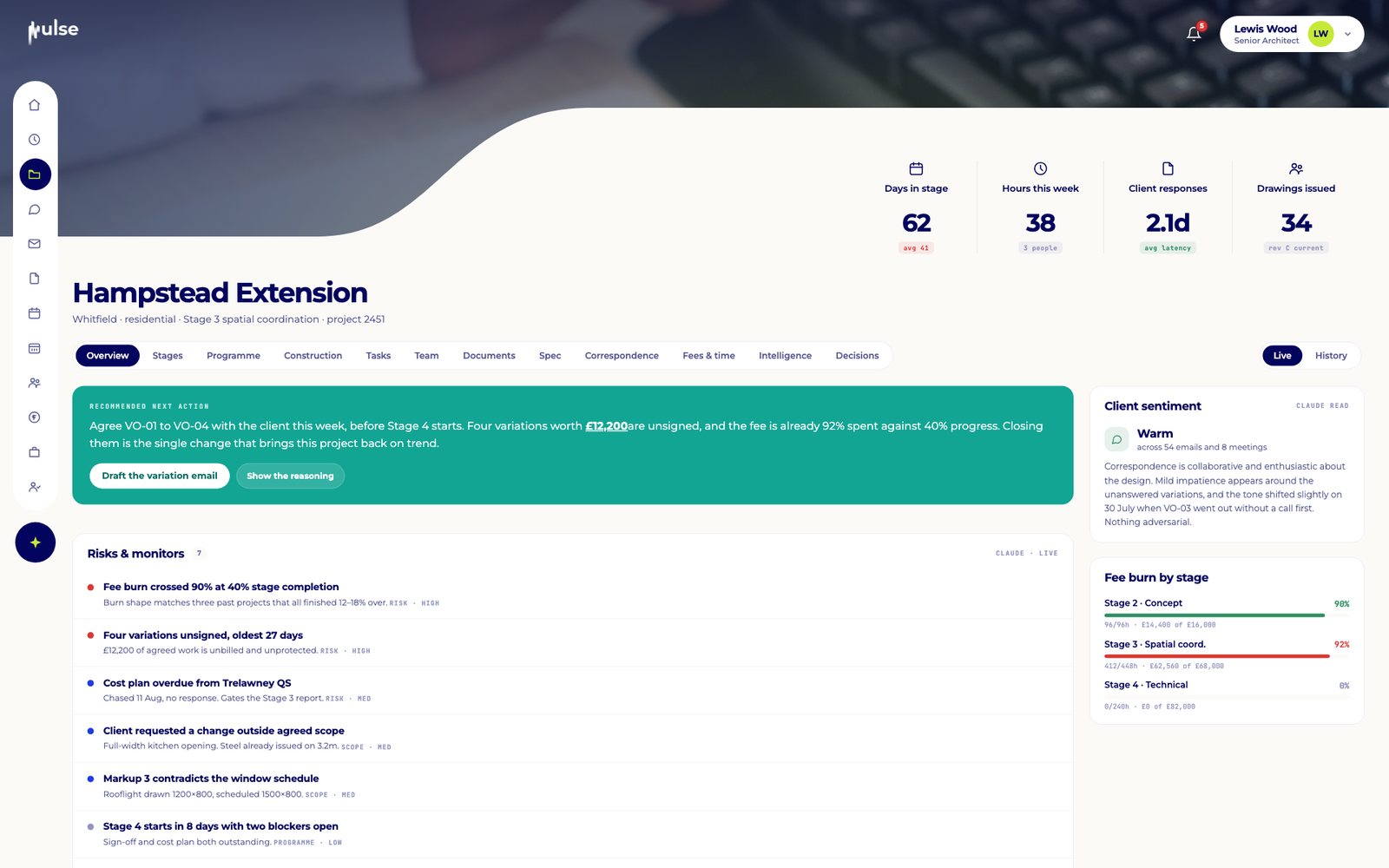
This is not a one-off. Across the project, 92% of the fee is spent at 40% progress. Pulse flags it, explains why, and recommends the single action that fixes it.
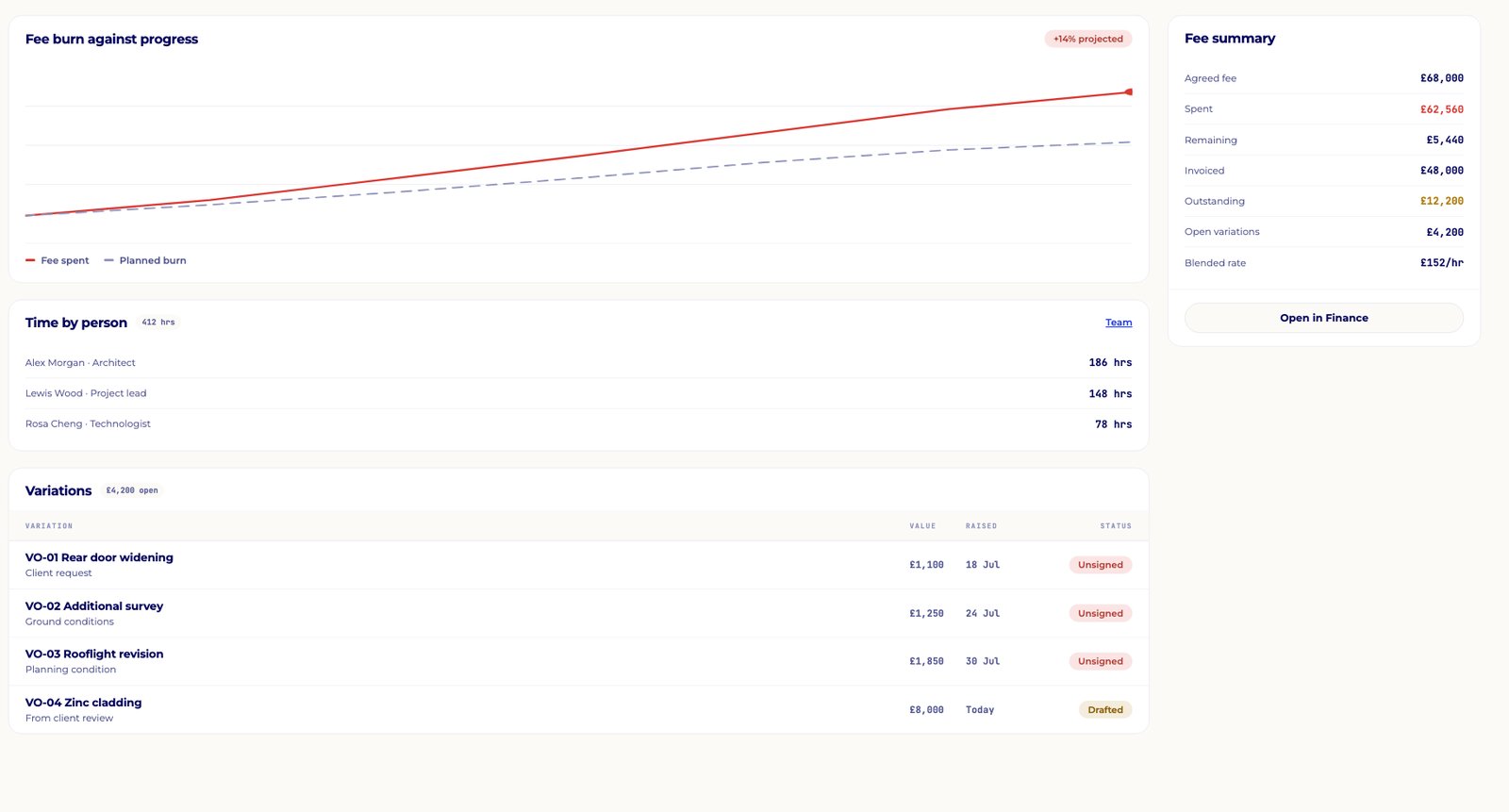
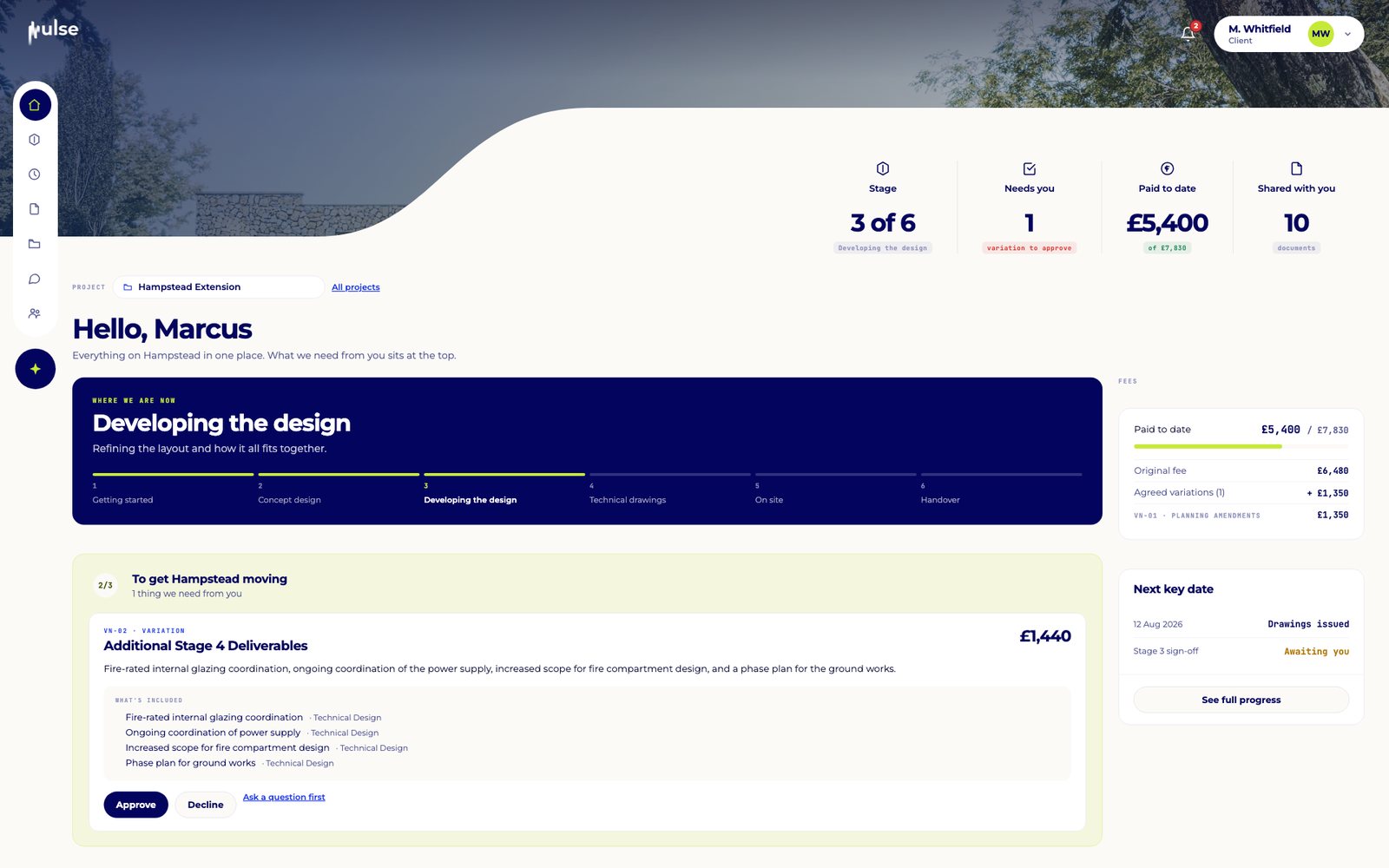
Four variations worth £12,200 are agreed but unsigned. Pulse keeps them in view until they are signed and invoiced, so agreed work never goes unbilled.
Clients get a calm, simple view of their project. Anything that needs them sits at the top, with exactly what is included and what it costs. One click to respond.
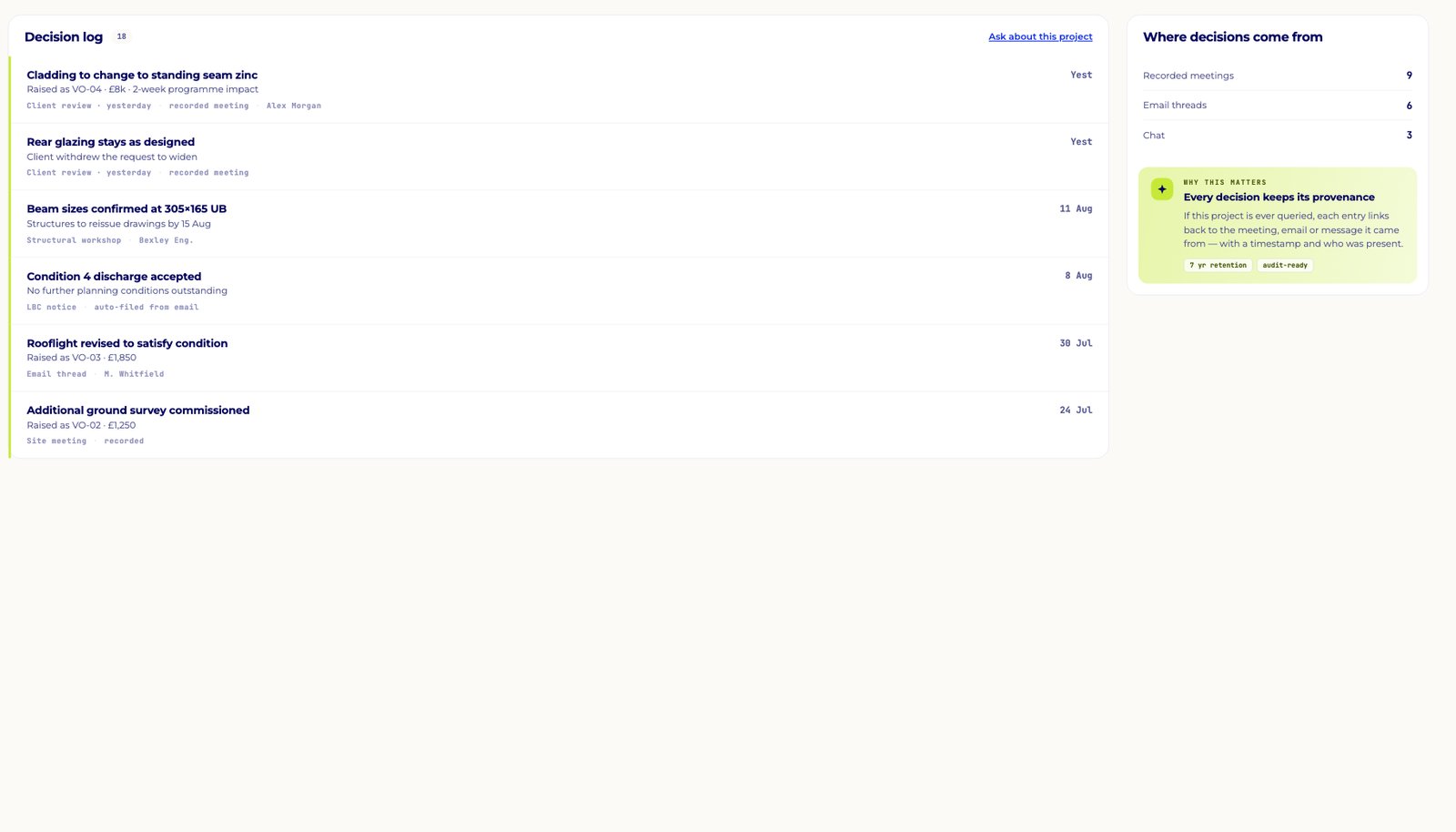
In the end the Whitfields kept the rear glazing as designed. Pulse logged the decision, where it came from and who was there.
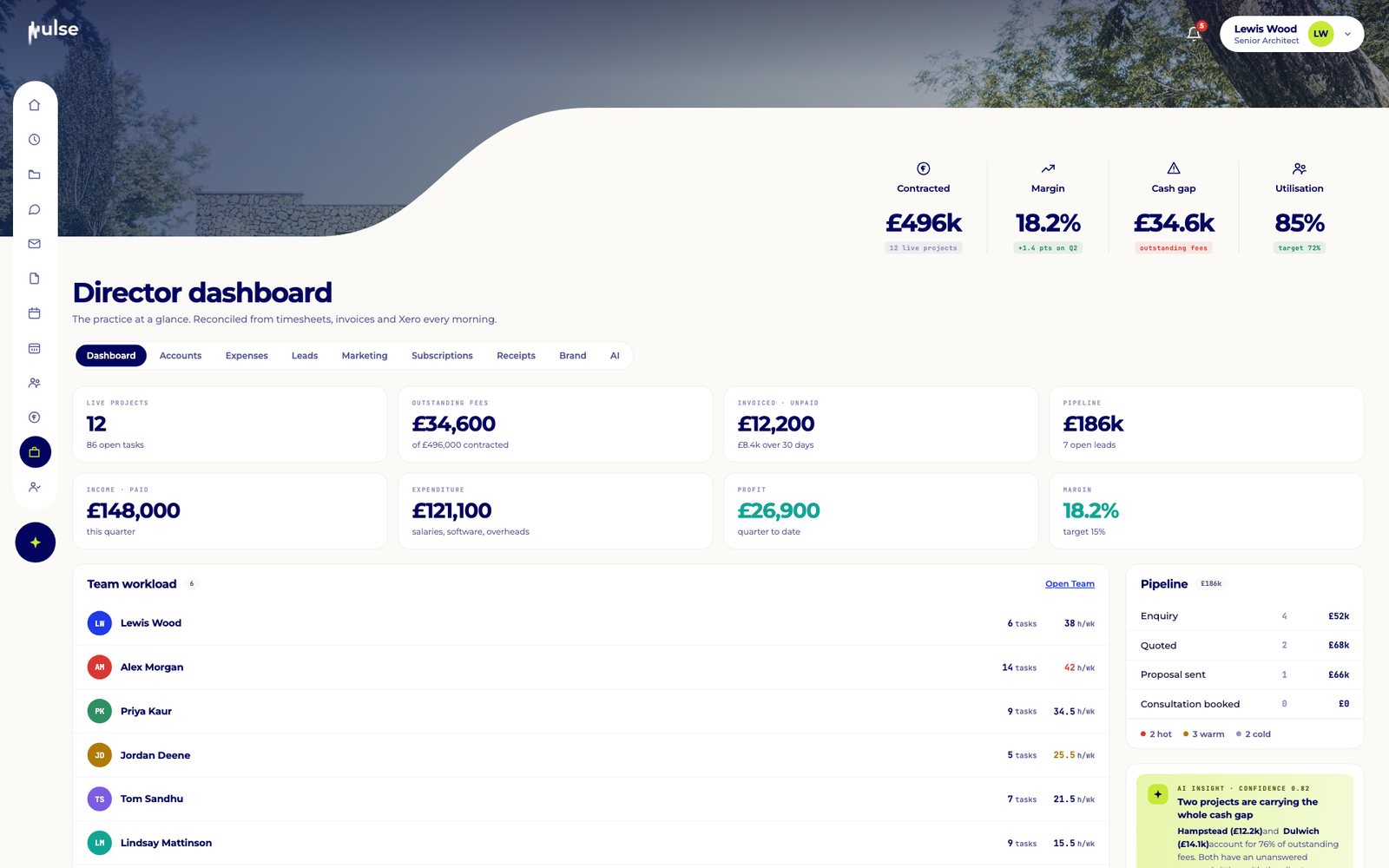
Zoom out, and Pulse shows margin, fees and capacity across the practice, and points straight to the two projects carrying the cash gap.
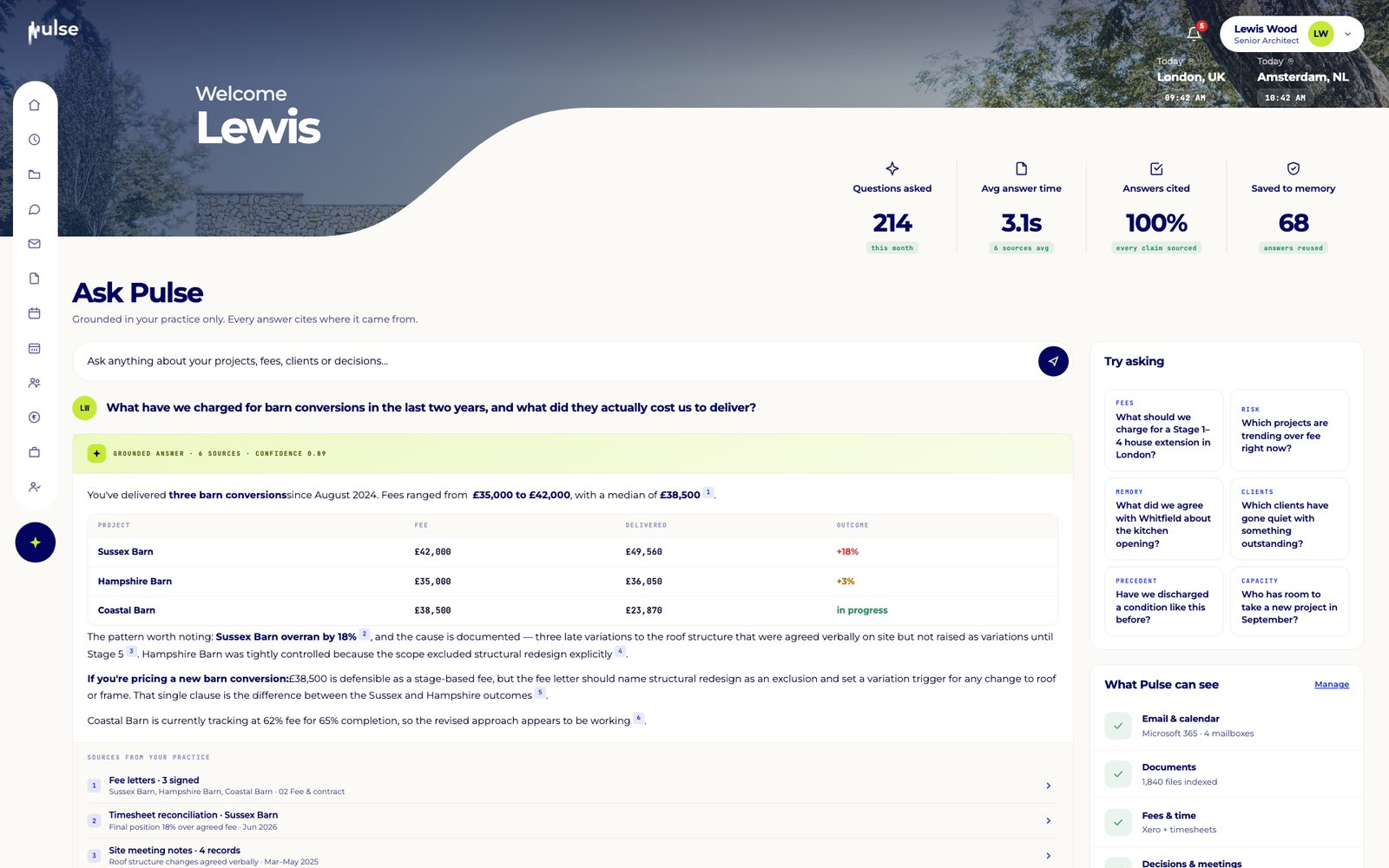
Coming soon. Ask your practice anything in plain English, and Pulse will answer from your own projects, fees and correspondence, citing every source. Try one of the questions below.
Try asking
You have delivered three barn conversions since August 2024, with fees from £35,000 to £42,000 (median £38,500). Sussex Barn finished 18% over because roof changes were agreed verbally on site and not raised as variations until Stage 5.
Hampstead Extension is the one to watch: 92% of the fee is spent at 40% stage progress, projected 14% over. Four variations worth £12,200 are unsigned. Agreeing them before Stage 4 brings it back on trend.
The opening was agreed at 3.2m at the 14 July client meeting, and steel schedule rev B was issued on that width on 12 August. At yesterday's client review the Whitfields withdrew the request to widen it, so the rear glazing stays as designed.
Pulse does this in the background on every project, so you can review, approve and get back to designing.
60 days free when Pulse launches for practices who join the waitlist.