
Built for how practices actually work.

Most practices run on tools that were never built for architects. Here is everything Pulse does instead.

Projects & stages

A signed fee letter becomes a live project.

Upload the fee letter or forward the email and Pulse builds the project for you: RIBA Stages 0 to 7, deliverables, fees per stage, dates and dependencies, each with a confidence score for you to check. From then on the stage moves itself when the signals line up, like an issue sheet, a client approval or an invoice raised, and you can always see why.

  • Fee letter to project in about 90 seconds
  • Stages, deliverables and fees in one view
  • Stage progress updated from real activity
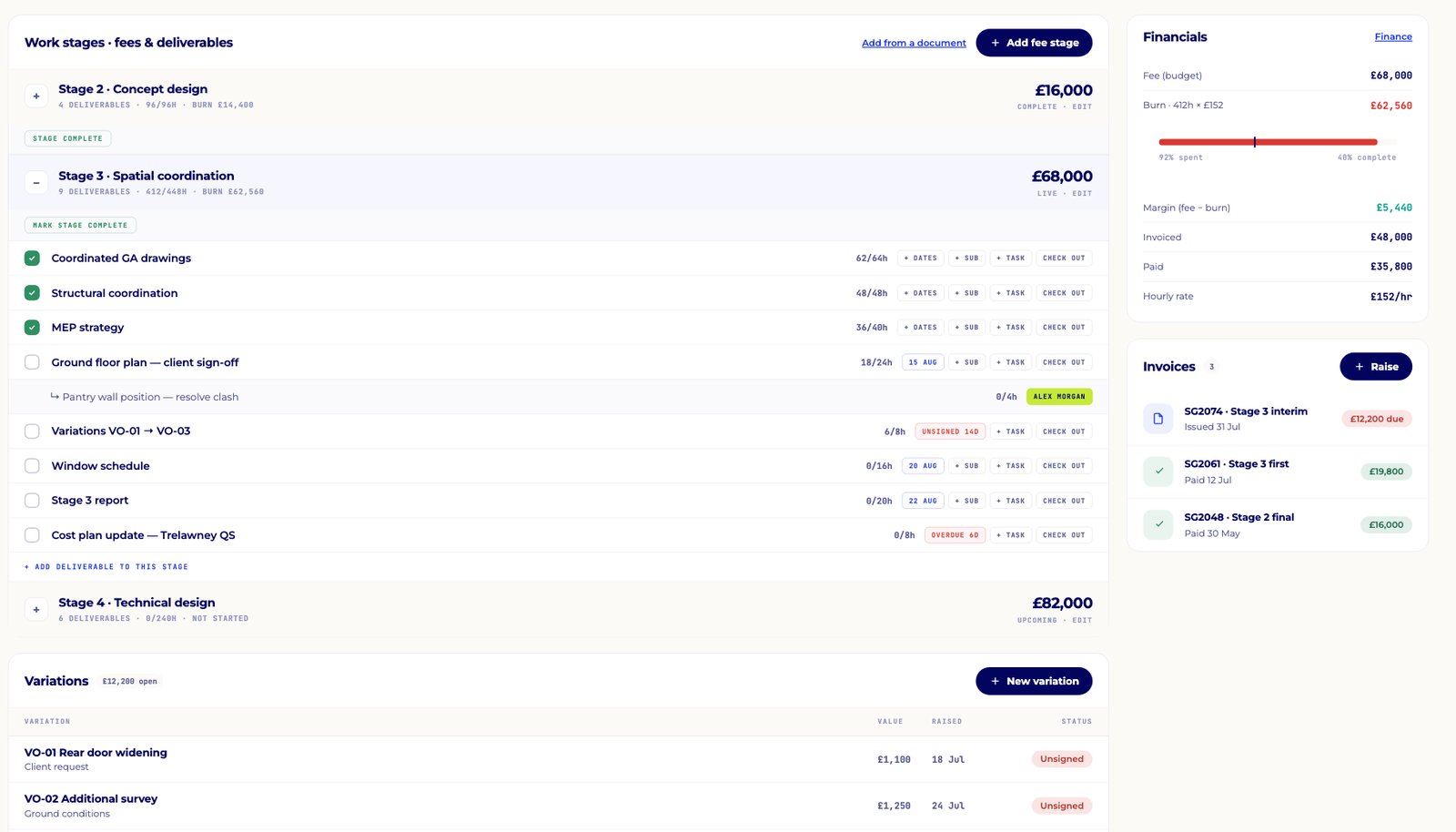
Work stages with deliverables, hours and fees for each RIBA stage

Project intelligence

See the risk before it costs you.

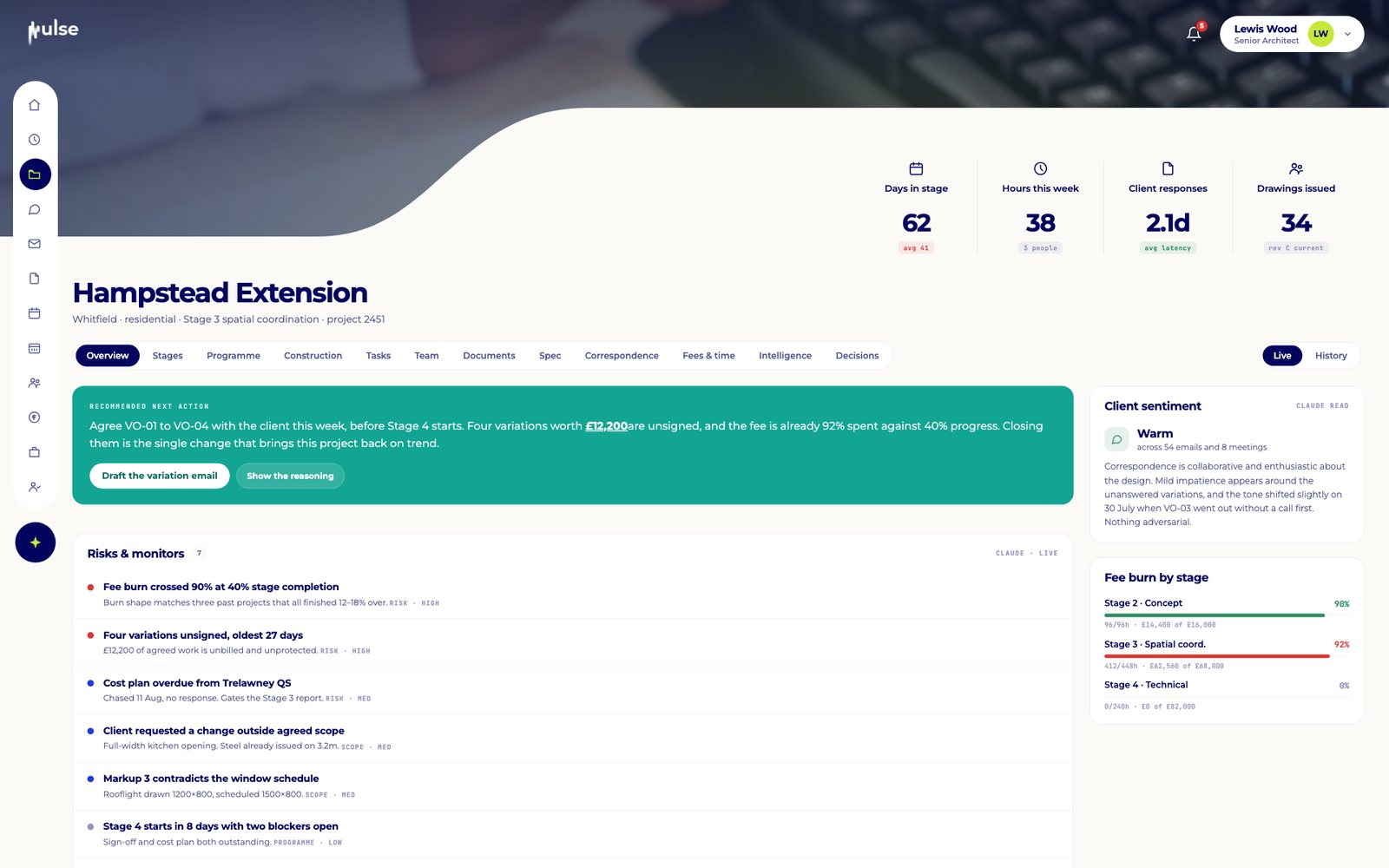
Pulse compares fee burn with stage progress, watches unsigned variations, overdue sign-offs and quiet clients, and checks each project against your past work. When something drifts it tells you, recommends the next action and shows its reasoning and sources.

  • Recommended next action for every project
  • Scope-change and variation detection
  • Client sentiment read from real correspondence

"It's not about dashboards showing you data that you need to do yourself, it's about it doing it for you."

Lewis Wood
Project intelligence with a recommended next action, risks and monitors and client sentiment

Email

Every email filed to the right project.

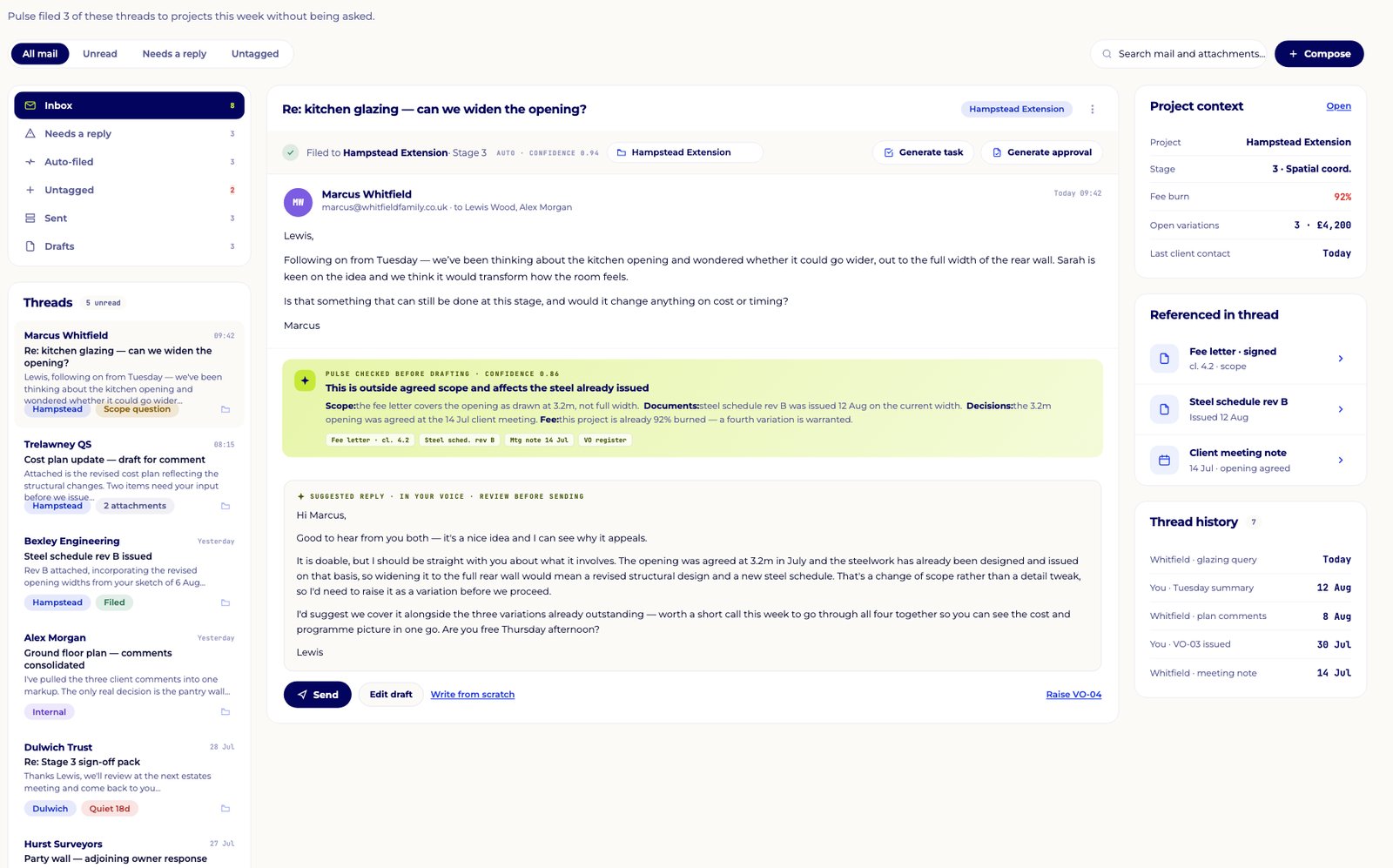
Connect Microsoft 365 or Google and Pulse files threads to the right project, with the project's stage, decisions and drawings alongside. When a reply is needed it drafts one with its sources, in the tone of your recent exchanges. Nothing is sent without you.

  • Auto-filed threads with project context
  • Drafted replies with sources, never auto-sent
  • Every sent email feeds the project record
Project-linked inbox with a drafted reply checked against scope, documents and decisions

Documents & drawings

Version control and approvals, built in.

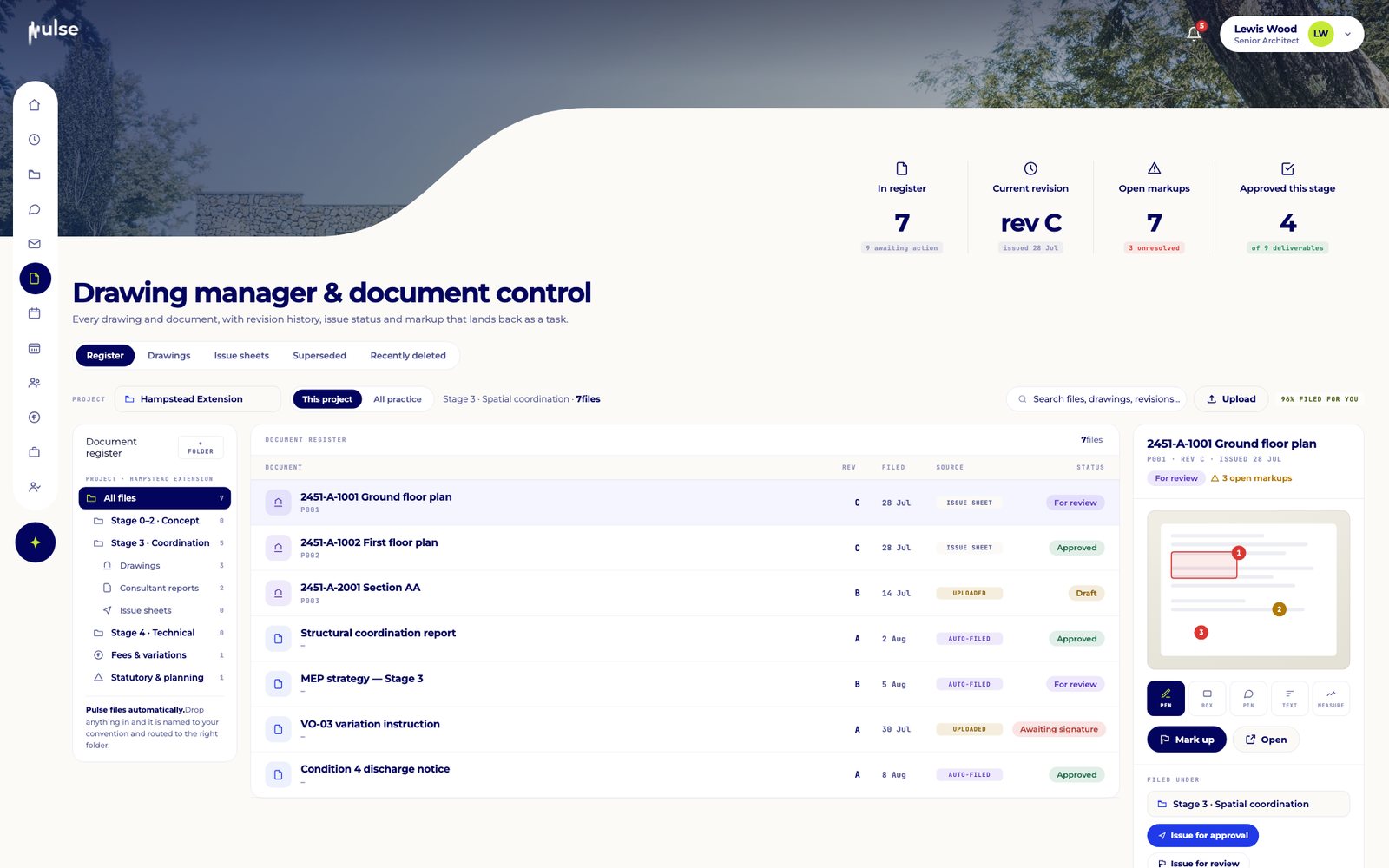
Every drawing and document lives in one register with automatic versioning. Approvals run in two steps, internal review then client review, and Pulse compares each new version with the last and checks it against the brief and earlier decisions before you sign it off.

  • Drawing register with superseded versions
  • Two-stage internal and client approvals
  • Dropbox sync
Drawing manager and document control register

Meetings

Agendas written, decisions filed.

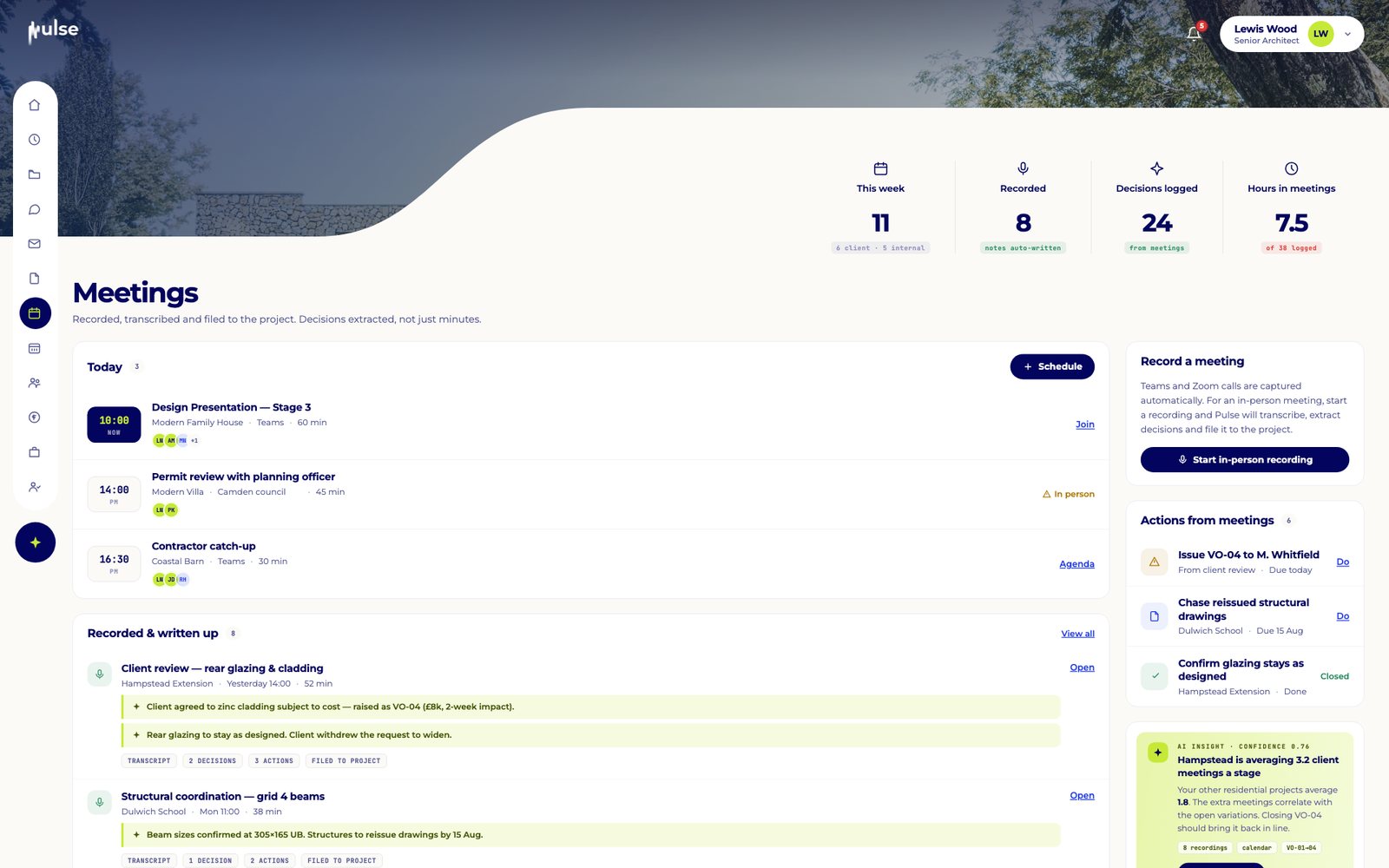
Schedule meetings on Microsoft Teams, Google Meet or in person, with an agenda pre-filled from the project's open items. Afterwards, a short note is all it takes: Pulse pulls out the decisions and actions and files them against the project.

  • Agendas from open items
  • Decisions and actions filed from your notes
  • Linked to tasks, documents and stages
Meetings calendar with agenda and actions

Decisions

Every decision, with its source.

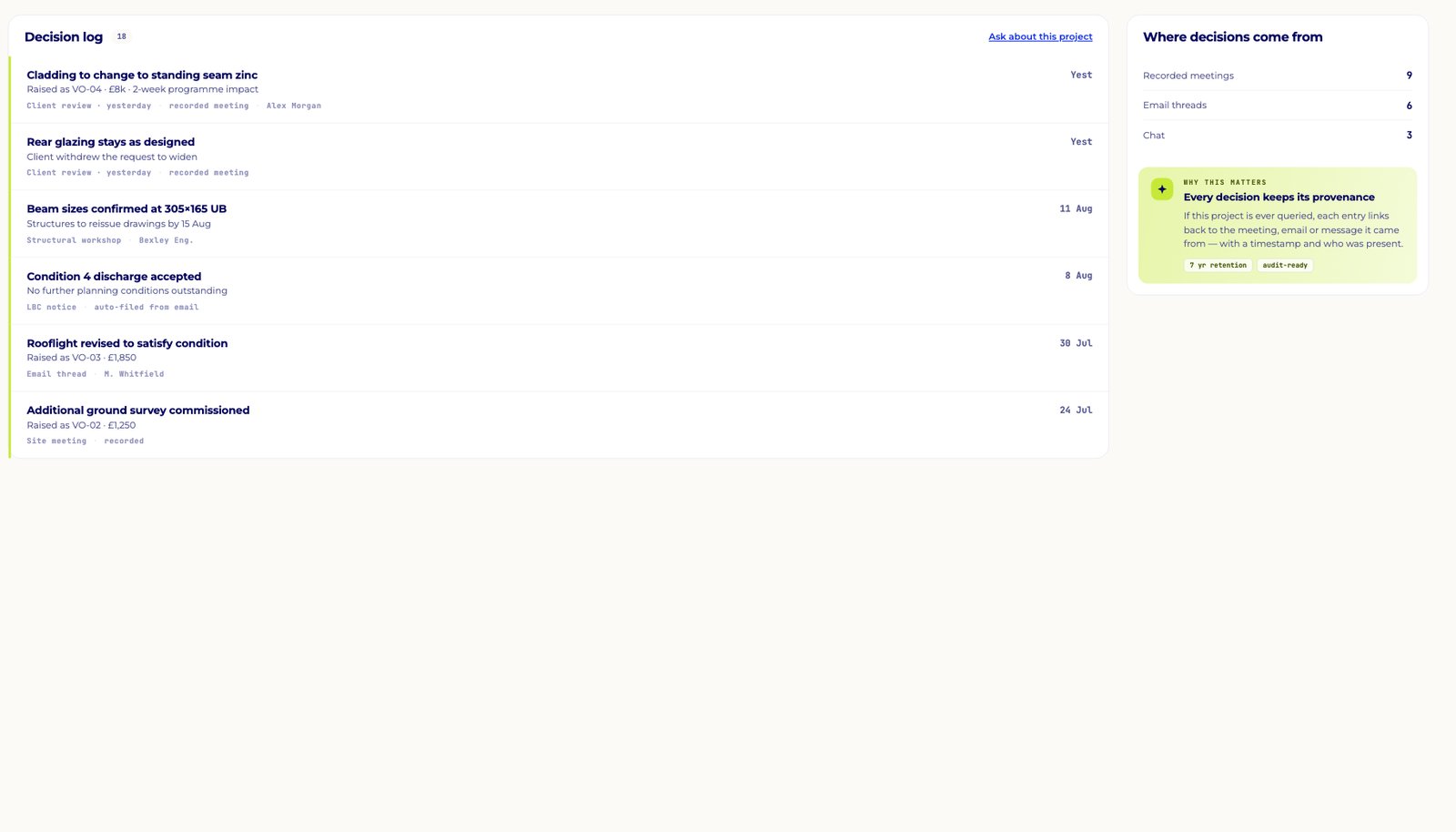
Decisions are captured from email, messages, meeting notes and client approvals into one searchable log. Each entry links back to where it came from, with a timestamp and who was there. It is the record you will want if a project is ever questioned.

  • One decision log per project
  • Provenance on every entry
  • Audit-grade activity history

"It's the answer to having control over your golden thread of information through every single project."

Lindsay Mattinson
Project decision log with the source of each decision
Coming soon

Ask Pulse

Ask your practice anything.

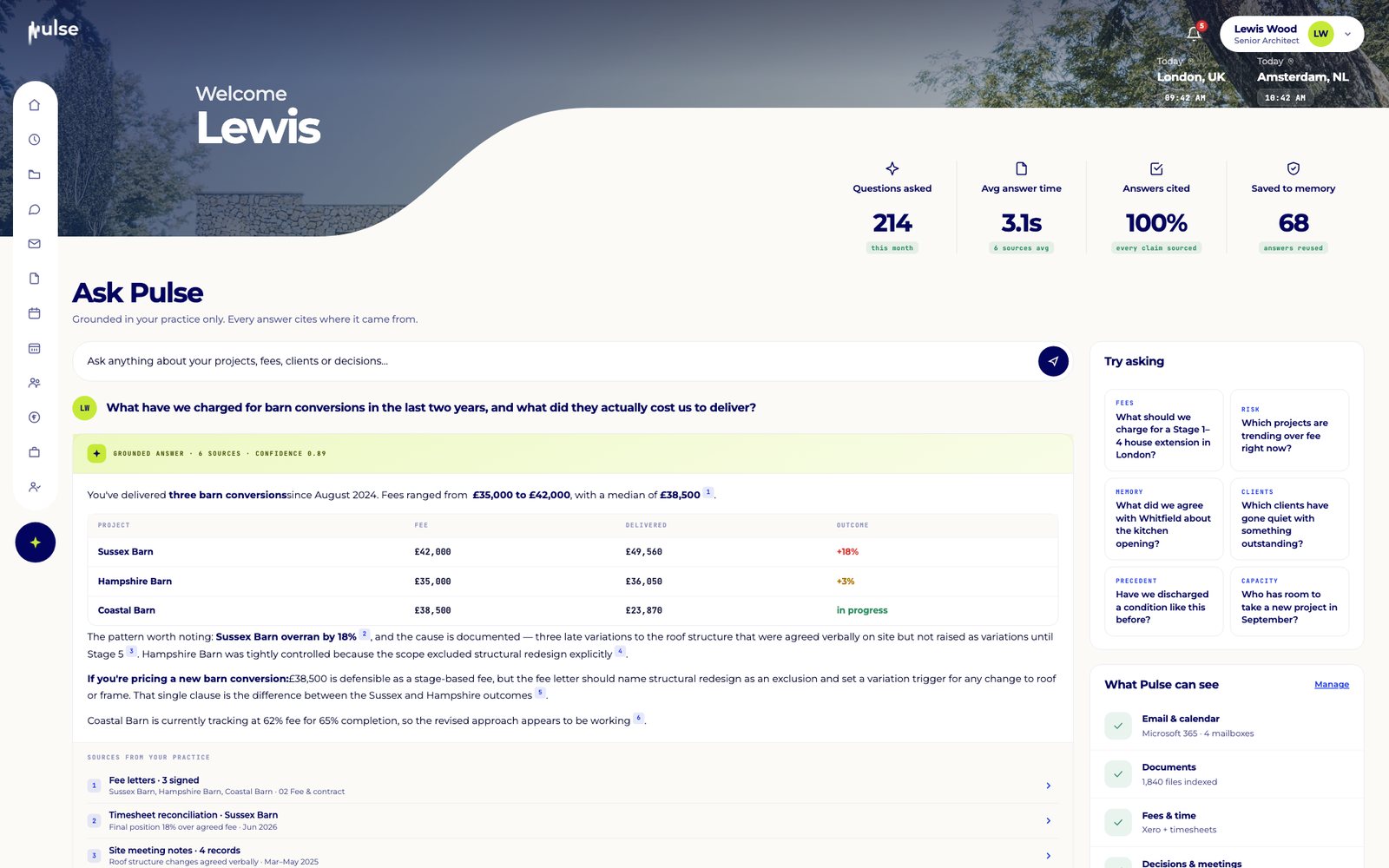
Ask a question in plain English, like "What have we charged for barn conversions?", and Pulse answers from your own projects, fees and correspondence with every claim cited. If it doesn't have the data, it says so.

  • Answers grounded in your practice only
  • Every claim linked to its source
  • Fees, precedents, clients and capacity
Ask Pulse answering a question about barn conversion fees with cited sources

My Day

A plan for the day, and a Monday digest.

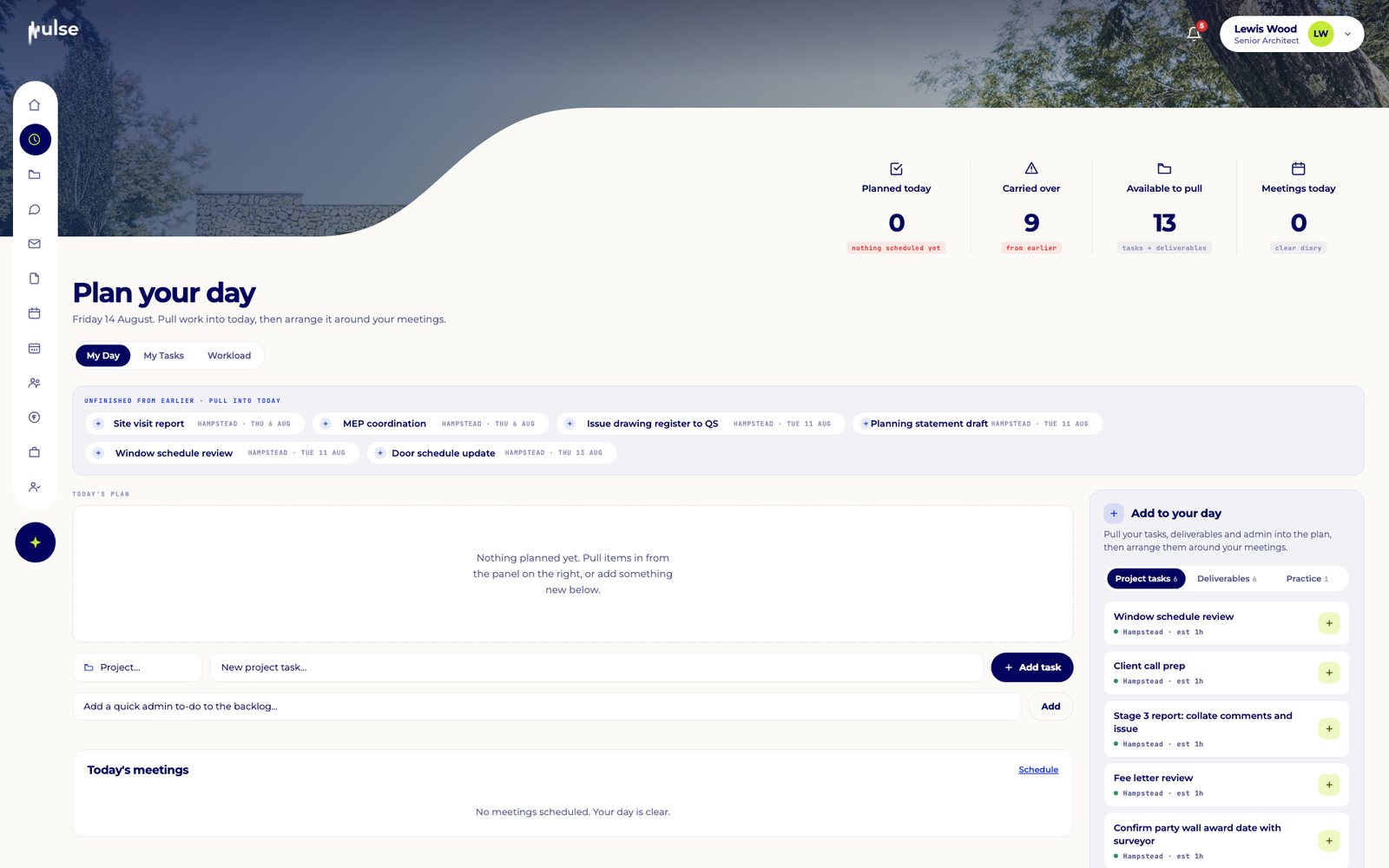
Every architect gets a clear plan: tasks, deliverables and meetings side by side, with work Pulse has already drafted ready for review. On Monday at 06:30 a digest lands with the week's top priorities, each with a reason and a one-click action.

  • Tasks from email, risks and deadlines
  • Every task explains why it exists
  • Monday morning priorities digest
My Day planner with carried-over tasks and today's meetings

Director dashboard

The whole practice in four minutes.

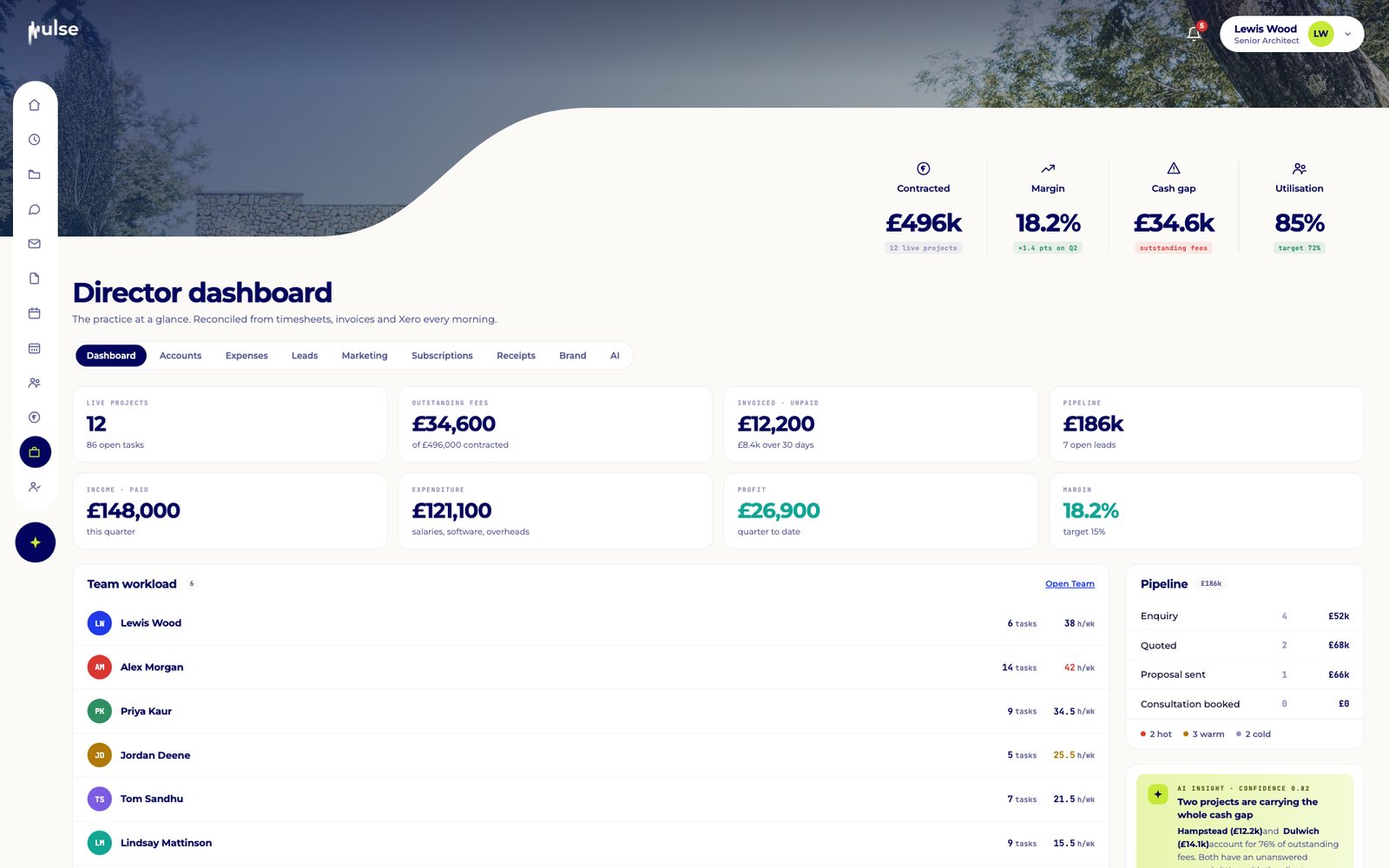
Contracted fees, margin, cash position, pipeline and team workload across the practice, reconciled every morning. Pulse groups what needs a director's attention, so you see the three things that matter this week rather than fifty notifications.

  • Margin and risk across the portfolio
  • Outstanding fees and cash gap
  • Who is stretched, and who has room

"…be able to see in one snapshot all the projects that are in the office and which ones are flashing red."

Lindsay Mattinson
Director dashboard with contracted fees, margin, cash gap and utilisation

Client portal

Clients see progress, not your inbox.

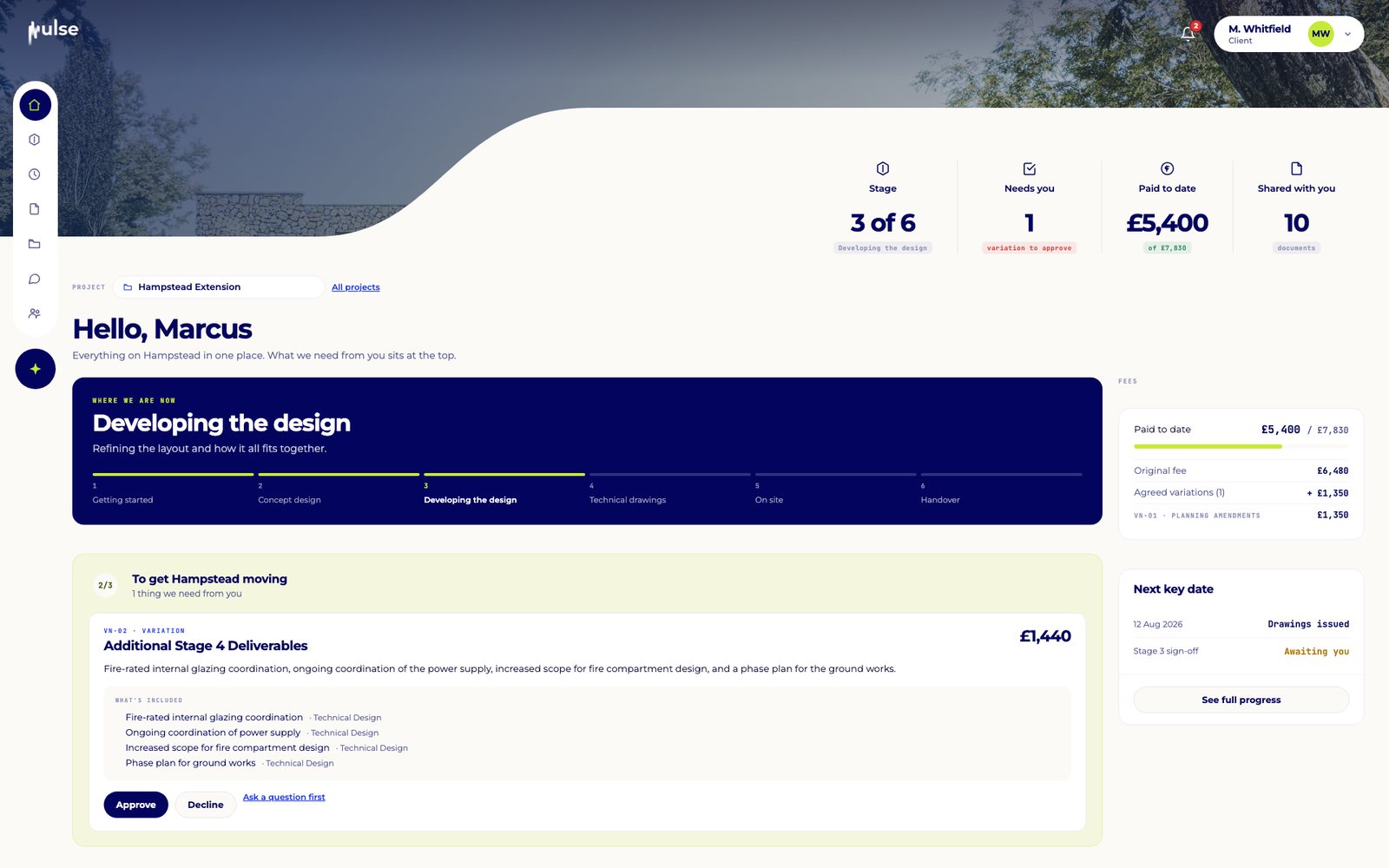
Invite clients by link to their own portal. They follow each stage, approve or comment on drawings, sign off variations, view documents and invoices and pay online. Internal notes, risk flags and cost figures are never shown. Clients join free.

  • Stage progress and weekly updates
  • Approvals, sign-off and payments
  • Private by design

"Clients don't generally have a window into a project. Pulse allows that."

Lindsay Mattinson
Client portal home showing stage progress and a variation awaiting approval

Messages

Chat that remembers what was agreed.

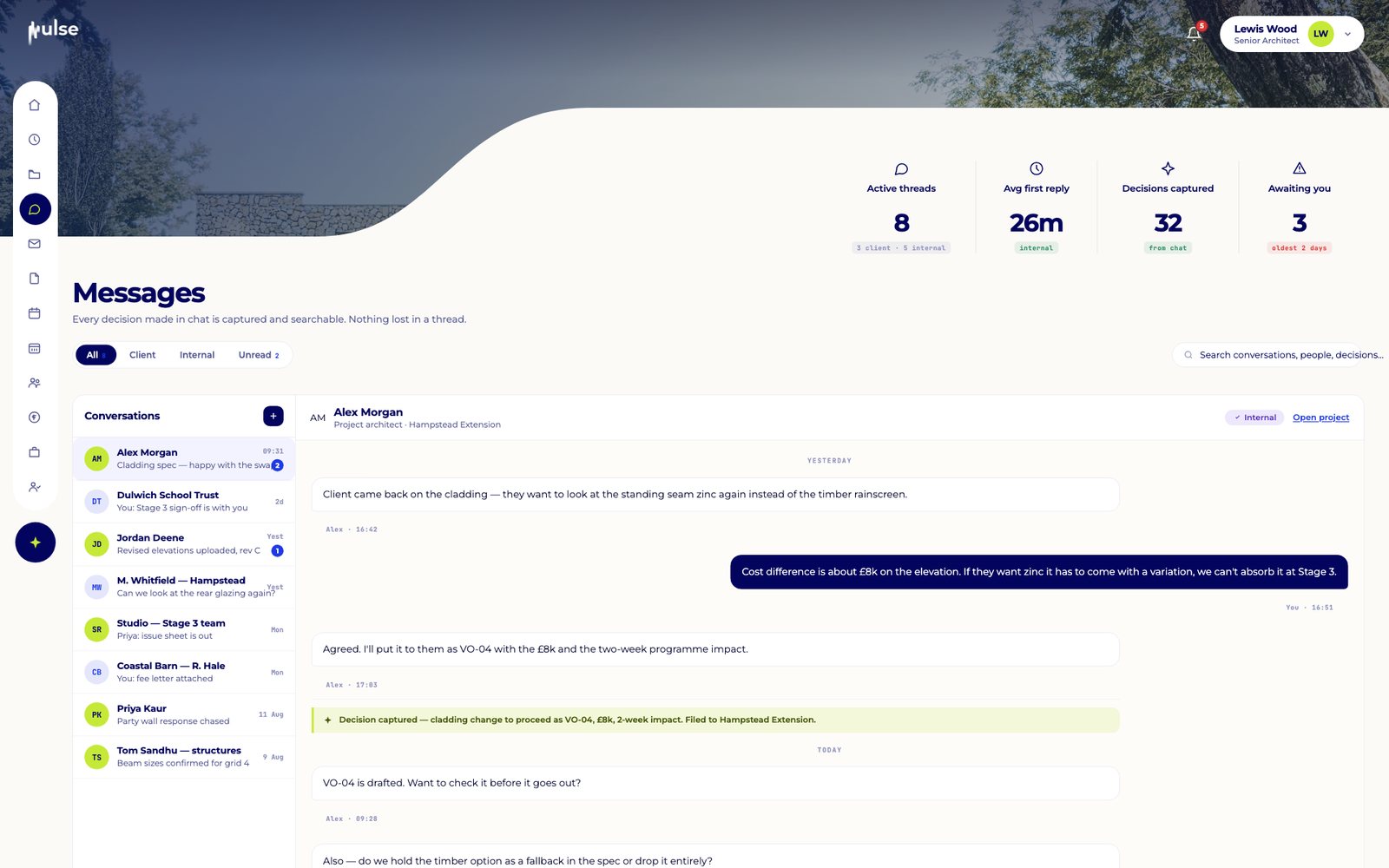
Real-time messages with your team and your clients, one to one or in groups, tagged to the project. When a decision is made in chat, Pulse captures it into the project record, so it never gets lost in a thread.

  • Team and client conversations
  • Tagged to projects
  • Decisions captured from chat
Project messages between the team and client
Coming soon

Team & capacity

Who has room for the next project.

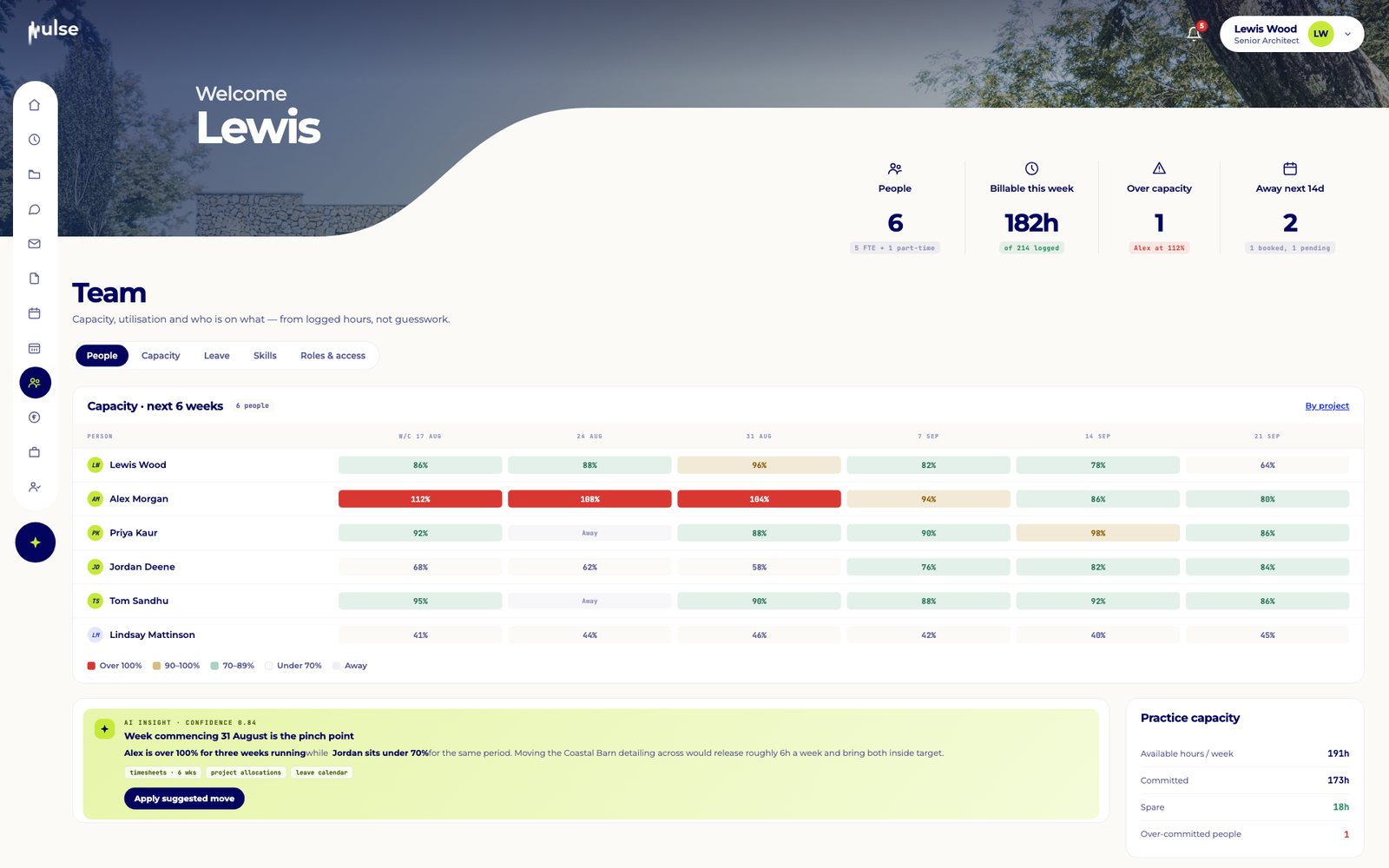
A capacity grid across your team, with leave, skills and workload, so you can plan resourcing with confidence before you say yes to new work.

  • Capacity by person and week
  • Leave and skills in one place
  • Early warning on overload
Team capacity grid by person and week

Watch it in use

More of Pulse, narrated.

Six more short walkthroughs on a sample practice, from the morning dashboard to the site and the invoices.

See it on your own projects.

Click through a real project in two minutes, or book a 20-minute walkthrough with the founders.

Take the interactive tour Book a live demo